SmartEdge EA Features for disciplined, long-term MT4 Forex trading
Multi-pair engine, built-in risk management and operational clarity — all while you stay in full control at your own MT4 broker and VPS.
To see live results, visit the Performance & Transparency page or review the full account on Myfxbook.
Core capabilities of the SmartEdge MT4 Forex Expert Advisor
These are the practical, day-to-day features the EA uses to manage trades, risk and execution across multiple FX pairs.
Multi-currency engine
The EA is designed to run on a basket of liquid FX pairs instead of only one pair. Diversifying across majors and selected crosses can help smooth the equity curve and avoid all-in exposure to a single symbol.
Risk-adjusted position sizing
Position sizes are designed around account balance and volatility so that typical trade risk stays more consistent over time. The goal is to avoid sudden over-sizing just because the balance moved or volatility temporarily increased.
Volatility-aware entries
SmartEdge EA focuses on windows where historical payoff profiles have been more favourable, filtering out low-quality noise and avoiding constant over-trading in flat conditions.
Account binding & licensing
Each license key binds to a single MT4 account upon first activation. Transfers can be requested via the license transfer form, so genuine users can move accounts while we keep the environment clean.
Secure backend & API
The licensing server runs on a hardened Nginx/PHP/MariaDB stack. API endpoints are rate-limited, and audit trails help monitor activations and support future backup or migration workflows.
Transparent performance view
A dedicated Performance & Transparency page shows monthly returns, yearly totals and a live Myfxbook widget, so traders can review both history and current behavior before committing capital.
Risk management and drawdown controls
SmartEdge EA is designed for traders who care about risk first, returns second. The goal is not to double the account in a week, but to build a repeatable, disciplined profile over time.
- Multi-pair deployment rather than concentrating risk into a single symbol.
- Configurable equity-based or balance-based risk sizing.
- Controls to limit the number of active pairs and grid exposure at once.
- Behavior tuned for live MT4 conditions (spreads, swaps, slippage, commissions).
To see actual outcomes rather than only theory, you can always compare these concepts against the live track record on the Performance page.
Who SmartEdge EA is for (and not for)
Best fit
- MT4 traders who prefer multi-pair diversification and controlled risk.
- Users already comfortable with VPS setups and ECN/RAW spread accounts.
- People who want full custody at their own broker instead of sending funds to a third party.
Not a good fit
- Traders expecting guaranteed profits or fixed monthly targets.
- People unwilling to accept normal FX drawdowns and risk.
- Users who want 100% set and forget with no monitoring of their own account.
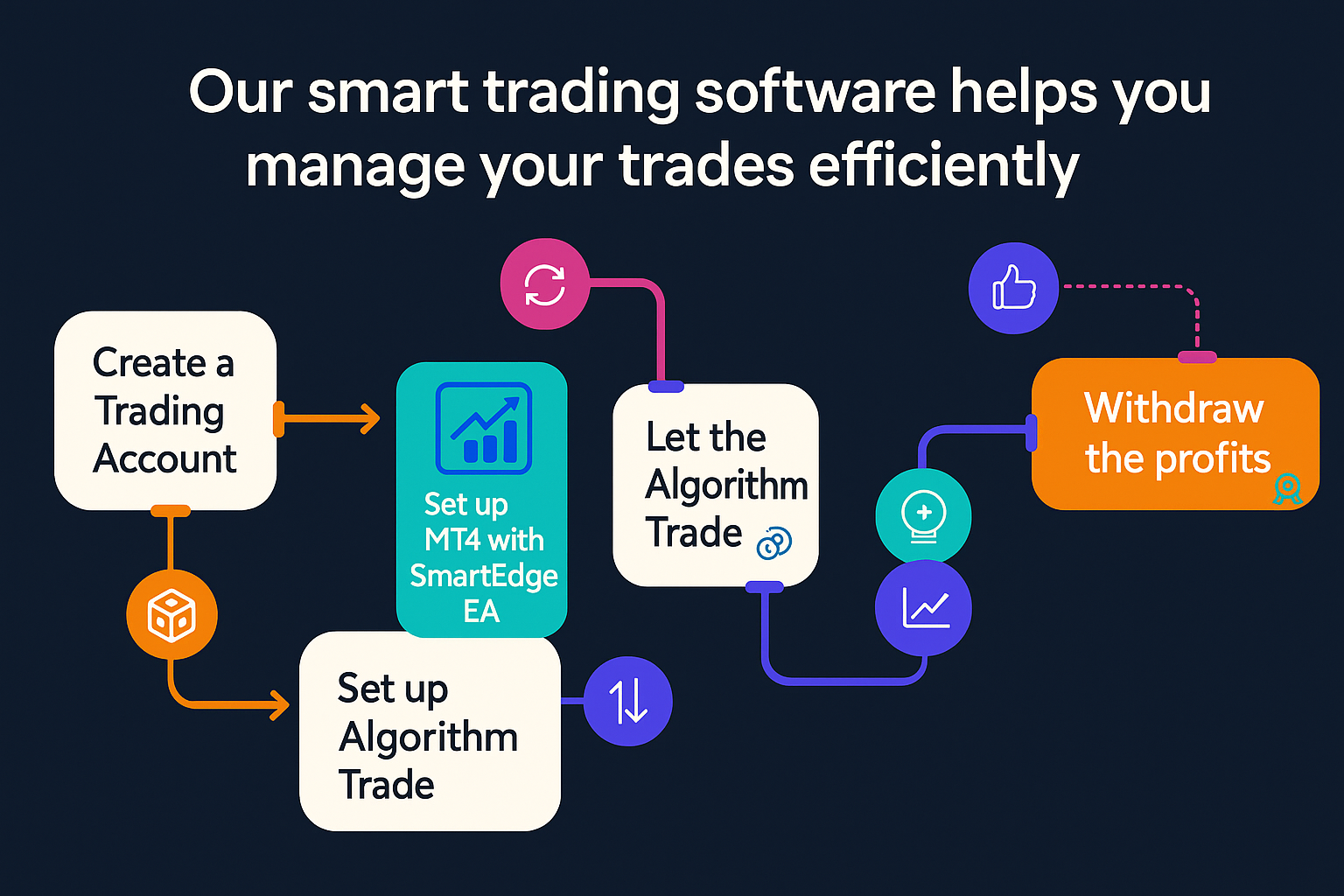
How SmartEdge EA works from purchase to MT4 deployment
A simple 5-step flow to get the EA running on your own MT4 account and VPS.
Technical requirements
- MetaTrader 4 (latest build)
- VPS recommended for 24/5 uptime
- Minimum recommended balance: around $500
- ECN/RAW spread account strongly preferred
- Low-latency connection to broker servers
Support & onboarding
You keep full control of your MT4 account. Our role is to help you install the EA, understand the main parameters and get comfortable with the environment. For deeper strategy questions, you can always combine this page with the Performance and Product overview.
Common questions about SmartEdge EA
A quick overview of how the MT4 Expert Advisor behaves and what you should expect before going live.
Ready to try SmartEdge EA on your own MT4 account?
Pick a plan, receive your license key by email, and deploy the EA on your own broker and VPS.
View Pricing & Plans Start 14-day Premium Trial